<img height="1" width="1" style="display:none;" alt="" src="https://px.ads.linkedin.com/collect/?pid=6672188&amp;fmt=gif">

For Property Staff and Residents

Digital Tipping Software

Digital tipping software gives residents a way to thank the staff who keep their community running, without anyone needing cash on hand. In a staffed condo, co-op, or rental building, tipping is a relationship rather than a one-time transaction, because the same doorman, porter, and maintenance tech see the same residents every morning for years. That is a different problem than the one restaurant tipping software was built to solve. TippingLink is BuildingLink's digital tipping software for residential communities: residents tip by credit card or ACH bank transfer, building staff receive 100% of their tips, and fees are displayed at checkout before a resident pays. There is no fee for the property to use it.

Trusted by The most prestigious communities

7,000+

COMMUNITIES

25+

YEARS

65+

OPERATIONAL MODULES

Built for the way tipping actually works in a staffed building

Residents tip from their phone

A resident opens your community's TippingLink page, chooses which staff members to tip, and sets an amount for each one. Payment is by credit card or ACH bank transfer, and no BuildingLink login is required. Residents provide a first name, last name, unit number, and email at checkout, so tipping is not anonymous.

Staff receive 100% of their tips

Building staff receive 100% of their tips, and fees are displayed at checkout so a resident sees the full cost before paying. Staff review every tip they have received in their own TippingLink profile and can filter by unit, name, and date. They can also send a thank-you note back through TippingLink.

Pooling for buildings that already share

TippingLink can be set up for individual tipping, a shared tip pool, or both at the same time. A pool pays out either as one ACH transfer to the property, which then handles disbursement to staff itself, or as a percentage allocation where TippingLink sends each staff member their share. In pool mode, residents see a single option for the team.

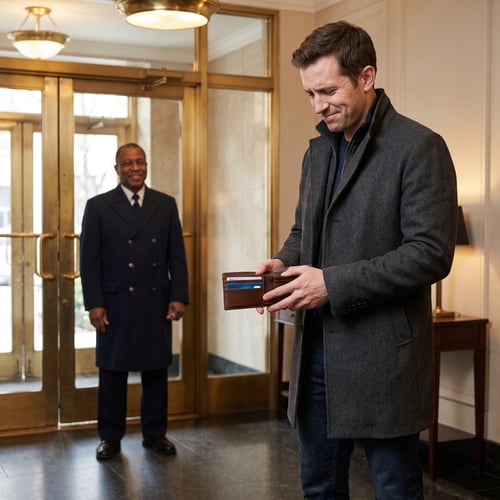
Resident in a building lobby looking into a wallet with no cash while a doorman waits by the entrance

Digital tipping software built for residential buildings

A holiday envelope only works if the resident has cash on hand at the right moment. When they do not, the tip does not happen, and the porter who hauled a couch up three flights in March never hears about it. Digital tipping software closes that gap by putting your staff list on a page a resident opens from their phone, whether it is the holiday tipping round or an ordinary Tuesday.

Restaurant and hotel tipping tools are built around a guest who tips a stranger once and does not come back. Residential buildings work the other way around. TippingLink is built for staffed condo, co-op, and multifamily communities, where residents and staff know each other by name and residents can send a tip at any time of year.


Resident at home sending a tip to building staff from a phone

What residents see when they tip

A resident reaches your community's TippingLink page through a QR code flyer, an emailed invitation, the resident app, or the resident portal. They pick which staff members to thank, set an amount for each, and can attach a personal message. Payment is by credit card or ACH bank transfer, and residents can review what they have sent before under Tipping history.

Staff can write a thank-you note back after a tip. The resident receives it by email, and personal email addresses are not shared with staff, because the note goes through TippingLink itself. In a building where the same people pass each other every morning, that closes the loop the way a cash envelope used to.

The Community Manager's Guide to Modern Staff Tipping

This guide walks property and resident managers through the questions residents ask every tipping season, the two setup paths, and what changes when you run a tip pool. Use it to plan your rollout before you choose a digital gratuity platform for your building.

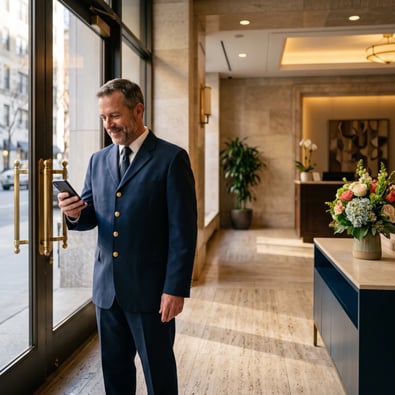
Building staff member in a residential lobby checking tips on a phone

Doorman helping a resident bring luggage into an apartment

What staff have to do, and what they get

Each staff member creates a TippingLink profile, verifies their identity with a government-issued ID, and adds their bank details. Every staff member needs their own email address, because employees without an email or sharing one cannot be added to the platform. Worth collecting those before you start modernizing staff tipping at your property.

Withdrawing to a bank account by ACH costs staff nothing. Push to card is an optional alternative that sends earnings to an eligible debit card and carries a higher transaction fee, and TippingLink shows the exact amount before the staff member confirms. Staff see who tipped them and how much. Other staff and property management do not.


Doorman shaking hands with a resident in a building lobby while a maintenance staff member works nearby

Tip pooling for buildings that already share tips

If your building already collects holiday tips into one fund and splits them, TippingLink can run that arrangement rather than asking your staff to change it. Residents see a single option for the team instead of a list of names, and staff do not see individual amounts.

Your security officer sets the pool up: names it, sets a closure date for when collection stops, and picks a disbursement method. One option sends the whole pool to the property by ACH, and the property handles distribution to staff itself. The other has TippingLink send each staff member a percentage you define. A building can run a pool and individual tipping side by side, so a resident who wants to thank one person still can. With a shared pool, management may have visibility into overall tip volume and disbursement.

RUNNING WITH THE BEST

Avenues-Residential
Barratt-Developments
Beach-Residential
Boston-Residential
Brown-Harris-Stevens
Wood-Partners
Albanese-organization
Avalon-Bay
Avenues-Residential
Barratt-Developments
Beach-Residential
Boston-Residential
Brown-Harris-Stevens
Wood-Partners
Albanese-organization
Avalon-Bay
Avenues-Residential
Barratt-Developments
Beach-Residential
Boston-Residential
Brown-Harris-Stevens
Wood-Partners

Frequently Asked Questions

What is digital tipping software?

Digital tipping software lets residents tip building staff electronically instead of with cash. In a residential building, a resident opens the community's tipping page, selects the staff members they want to tip, enters an amount for each, and pays by credit card or ACH bank transfer. The staff member sees the tip in their TippingLink profile.

How is this different from tipping software built for restaurants?

Restaurant tipping tools are built around a one-time interaction between a guest and a server they will not see again, and they usually run through a point-of-sale system. A residential building does not have one, and the same residents and staff interact for years. TippingLink is built for that: residents reach it from a flyer QR code, an emailed invitation, the resident app, or the resident portal, they can tip at any time of year rather than at a checkout moment, and individual tip details stay out of management's view.

Do residents need a BuildingLink login to tip?

No. Residents do not need to log in to BuildingLink to use TippingLink. They can reach the tipping page directly and provide their information. Residents do give a first name, last name, unit number, and email at checkout, so tipping is not anonymous.

How can residents pay?

Residents pay by credit card or ACH bank transfer. Staff have a separate push to card option for withdrawing their own earnings to an eligible debit card, which is a payout method for staff rather than a way for residents to pay.

What does TippingLink cost?

There is no fee for the property to use TippingLink. Residents pay a TippingLink fee of 3.5% of the transaction with a $1 minimum, plus an additional 3% processing fee if they pay by credit card. Paying by ACH bank transfer adds nothing beyond the TippingLink fee. All fees are displayed at checkout before payment. On the staff side, withdrawing by ACH costs nothing.

Can management see who tipped whom?

Management is not shown specific information about individual tipping. Managers can add and remove employees from the platform, but individual tip transactions are kept private. If your property uses a tip pool, management may have visibility into the overall volume of tips and the disbursement to staff. Staff see who tipped them and how much, which is what makes the thank-you note work.

Can we use TippingLink if our building isn't on BuildingLink?

Yes. Properties that do not run on BuildingLink can use TippingLink. Communities already on BuildingLink get additional entry points, including a TippingLink widget on the manager dashboard, staff pulled from the existing employee list, a downloadable resident flyer with a QR code, and a QR code widget for lobby displays.

Does TippingLink work for HOA communities?

TippingLink is designed for staffed buildings, where residents tip onsite people such as doormen, porters, and maintenance teams. HOA communities are usually run by volunteer resident boards with no onsite staff, so it is not the right fit there.

Keep staff recognition in one place

Digital tipping software only earns its keep if residents use it and staff trust it. TippingLink is built around how staffed residential communities already run: residents tip the people they see every day, staff receive 100% of their tips with fees displayed at checkout, and there is no fee for the property. Communities already on BuildingLink enable it from the manager dashboard, alongside packages, work orders, and resident communication. Properties that do not run on BuildingLink can use TippingLink on its own. TippingLink is available for use across the USA.

Let's Talk

If you're ready to give residents a better way to thank your staff, fill out the contact form and we'll connect you with a member of our team.