<img height="1" width="1" style="display:none;" alt="" src="https://px.ads.linkedin.com/collect/?pid=6672188&amp;fmt=gif">

FOR RESIDENTIAL COMMUNITIES

Property Inspection Software

━━

BuildingLink's property inspection software gives your team one place to build checklists, schedule inspections, and track what they find. Your staff check equipment, do unit walkthroughs, and keep common areas clean every week. Tracking it all often means clipboards, spreadsheets, and memory. BuildingLink's inspections module swaps those for custom checklists your team completes on the GEO by BuildingLink mobile app. Any issue they flag can become a maintenance request from the same checklist. Run inspections from the same platform that handles maintenance requests and work orders for condo, co-op, and apartment communities.

See the Inspections Module in Action

━━

Watch the video below for a look at the inspections module in BuildingLink.

Trusted by The most prestigious communities

7,000+

COMMUNITIES

25+

YEARS

65+

OPERATIONAL MODULES

Built for the Way Your Team Inspects

━━

Checklists for Every Routine

Build a checklist for anything your team inspects regularly, from the fitness center to daily common area cleaning. Group items under headings and drag them into the order your team walks. When a new checklist only needs a few changes, clone an existing one and edit it.

Inspections Done Where the Work Is

Staff complete inspections in the GEO by BuildingLink mobile app. They check off items, add notes, and take photos while they're in the unit or common area. If someone gets pulled away mid-inspection, they can save it and finish later.

Findings That Become Work Orders

Staff can open a maintenance request from any checklist item during the inspection. Their notes carry into the request description, and it joins your team's open maintenance requests.

Staff member cleaning a community pool during routine common area upkeep

Property Inspection Software That Starts With Your Checklists

Every community has its own routines, and a generic workflow rarely matches them. Your team knows which equipment needs weekly checks, what a clean lobby means at your property, and what to check before a move-in.

BuildingLink lets you turn that knowledge into checklists. You name each one, add headings and items, and choose who gets an email when an inspection is completed. Every item includes a checkbox, a notes field, a photo option, and a way to enter a maintenance request.
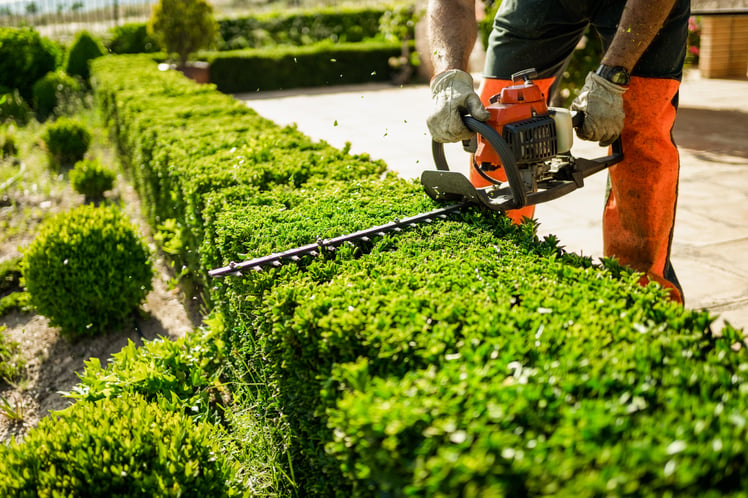

Groundskeeper trimming hedges as part of a recurring landscape maintenance schedule

Recurring Schedules for Routine Inspections

Routine checks are easier to keep up with when the whole team can see what's coming. Scheduled inspections appear on the dashboard for today and the next two days, and in the upcoming list in GEO.

Choose a checklist, a unit or area, a date, and how often the inspection repeats: daily, weekly, monthly, or yearly. Assign it to a specific staff member, or leave it open for anyone on the team to claim in GEO. For preventative maintenance that doesn't need a checklist, BuildingLink's recurring tasks module generates maintenance requests on a schedule.

GET THE GUIDE

A Seasonal Preventative Maintenance Checklist for Condo Associations

Know what to inspect, when to inspect it, and how to keep your community running smoothly year-round. Use this seasonal checklist to plan the routines you build into BuildingLink's inspections module.

A Seasonal Preventative Maintenance Checklist for Condo Associations guide cover

Two building staff members in a residential lobby, one holding a tablet

A Property Inspection App Built Into the Platform

Inspections happen in hallways, units, and mechanical rooms. Your team needs to record findings while they're there, not later from memory.

GEO by BuildingLink is the staff mobile app, a free download for Apple and Android devices that uses the same login as BuildingLink. From the app, staff start a scheduled or unscheduled inspection and check items off with notes and photos as they go. When a checklist item has maintenance requests tied to it, the checklist shows how many.


Property manager reviewing records on a desktop computer with a colleague

Scheduled and Completed Inspections in One Dashboard

Managers need to see what's coming up and what's done without asking staff for updates.

The inspections dashboard shows what's scheduled for today and the next two days, what's been completed, and your list of checklists. Open a completed inspection to review its details and the maintenance requests tied to it, or download it as a PDF for your records.

RUNNING WITH THE BEST

Avenues-Residential
Barratt-Developments
Beach-Residential
Boston-Residential
Brown-Harris-Stevens
Wood-Partners
Albanese-organization
Avalon-Bay
Avenues-Residential
Barratt-Developments
Beach-Residential
Boston-Residential
Brown-Harris-Stevens
Wood-Partners
Albanese-organization
Avalon-Bay
Avenues-Residential
Barratt-Developments
Beach-Residential
Boston-Residential
Brown-Harris-Stevens
Wood-Partners

Frequently Asked Questions

What is property inspection software?

Property inspection software is a tool that lets your team build inspection checklists, schedule routine checks, and record results digitally instead of on paper. In BuildingLink, the inspections module is part of the broader platform. Staff can open a maintenance request from any checklist item without switching systems.

How is this different from a paper checklist or a spreadsheet?

A paper checklist or spreadsheet records what someone saw, but it can't schedule the next inspection or open a maintenance request. In BuildingLink, inspections repeat on the schedule you set, and staff can add notes and photos to any checklist item as they go. The contacts you choose get an email when an inspection is submitted, and staff can open a maintenance request from any item, with the inspector's notes already in the description.

Who on my staff can create and complete inspections?

Maintenance, Management, and Security Officer users can access inspections from the Maintenance tab. Your team manages checklists and schedules on the inspections dashboard, then completes the inspections themselves in the GEO by BuildingLink mobile app rather than on the website.

Is there a mobile app for inspections?

GEO by BuildingLink is the staff mobile app for inspections. In the app, staff see the inspections assigned to them, claim unassigned ones, and start an unscheduled inspection when they need one.

What kinds of inspections can we run?

You can build a checklist for any type of inspection your team needs to run. Common examples include equipment checks, unit walkthroughs, and common area cleaning. You can add checklists for procedures unique to your property. For move-in and move-out inspections, staff can capture a signature through the event log in GEO.

Can we keep records of completed inspections?

Yes, completed inspections can be found on the inspections dashboard and in GEO, along with any maintenance requests opened from them. You can also download a completed inspection as a PDF.

Does BuildingLink help my team set up inspections?

BuildingLink's maintenance training covers creating inspection checklists, along with work orders and vendor management.

How much does property inspection software cost?

Pricing depends on your community's size and the BuildingLink package and modules you choose. Fill out the contact form and a member of our team will put together a quote.

Keep Your Inspections in One Place

━━

Your team already does the inspections. BuildingLink's property inspection software gives that work a consistent format inside the same platform that handles maintenance for the rest of your community.

Let's Talk

If you're ready to bring inspections and maintenance requests onto one platform for your community, fill out the contact form and connect with a member of our team.