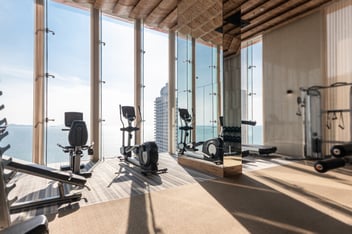
The pool deck that handled 12 reservations a week in February now fields 200 in July. The gym schedule that was loose and informal in winter has people lined up at 6 AM by Memorial Day. The party room calendar that lived in a binder at the front desk is suddenly the most contested document in the building.
This is the part of the year where amenity management stops being routine and turns into a daily fight against demand. The buildings that get through summer cleanly aren't relying on staff heroics or hoping residents will be patient. They're running on an amenity reservation system that absorbs the volume without putting it all on the front desk.
Why Manual Booking Systems Break in Summer
A spreadsheet, a paper signup sheet, a binder at the concierge desk, even a shared Google calendar. These all work fine when the pool sees 5 reservations a day and the gym is half-empty. Then summer arrives.
Suddenly you have 200 units competing for limited Saturday pool time, a BBQ grill that's booked solid through August, and a party room with three families requesting the same Friday in July. Manual systems can't enforce rules in real time. They can't stop double bookings. They can't tell a resident "you've already booked 4 cabanas this month, give someone else a turn."
What you end up with is staff playing referee. The front desk fielding the same booking questions all morning. Disputes between residents that escalate to the board. And the unpleasant reality that whoever knows the concierge best gets the best slots.
That's not a process problem. That's a tooling problem. Amenity booking software exists because manual systems hit their ceiling exactly when you need them most.
Take the Front Desk Out of the Middle
Walk into any condo or co-op lobby in June and listen to the front desk for 10 minutes. Half the conversations are about amenity bookings. "Is the pool deck open Saturday?" "Can I move my BBQ slot?" "Did Sarah cancel her cabana?"
That's not the front desk's job. Or it shouldn't be.
A proper amenity reservation system pushes those decisions out to the residents themselves. They open the app, see what's available, book what they want, and move on. The rules (booking window, cancellation policy, max reservations) are enforced by the software, not negotiated at the desk.
BuildingLink's amenity reservations module is built around this self-service model. Residents see real-time availability, book through the same app they already use for packages and maintenance requests and get automatic confirmations. The front desk goes from gatekeeper to host. Think of it like OpenTable for your building. Restaurants stopped taking phone reservations because the math stopped working. Buildings are doing the same thing for the same reason.
Make the Rules Visible (Or They Don't Exist)
Most buildings have amenity rules. They're often buried in a 40-page handbook nobody opens after move-in.
Booking windows. Cancellation deadlines. No-show consequences. Maximum reservations per resident per month. These rules only matter if residents see them at the moment they're trying to book.
A good amenity booking software surfaces those rules right inside the booking flow. If the policy says "max 2 weekend pool slots per household," the system doesn't let a third one through. If cancellations have to happen 24 hours in advance, the system enforces it automatically and makes the canceled time slot available for other residents to book.
In BuildingLink, you can configure these policies per amenity. The pool can have one set of rules, the BBQ grills another, the party room a third. The system applies them without the manager having to remember which policy goes where, which means you get consistent enforcement across every amenity without consistent effort.
Stop Double Bookings Before They Start
The cabana that two families both think they reserved. The pickleball court that ends up with overlapping slots. The party room booked for a birthday party and a board meeting at the same time.
Every double booking is a complaint. Every complaint is staff time. And every dispute resolved in someone's favor leaves the other resident frustrated.
Manual calendars miss this constantly because they rely on humans noticing conflicts before confirming. An amenity reservation system enforces capacity at the database level. If the slot is taken, the system won't let it be booked again. Period.
This sounds basic, and it is. But basic is exactly the kind of thing that breaks under summer load when one staff member is trying to manage three calendars at once.
Use Waitlists So Residents Stop Hearing "No"
The most common summer complaint at the front desk is some version of "I tried to book the pool and there was nothing available." What residents are really saying is "I want to use the amenity I'm paying HOA fees for."
Waitlists solve this without expanding capacity. When a popular slot fills, residents join a waitlist instead of getting a flat denial. When someone cancels (and they do, all summer), the slot offers automatically to the first person on the list with a notification. They get a chance they wouldn't have had otherwise, and the slot doesn't sit empty.
BuildingLink's amenity reservations supports waitlist functionality for exactly this kind of high-demand period. The result is fewer "I never get to use the pool" emails, more residents satisfied with their building, and amenities that don't sit unused while a queue of frustrated people sits idle.
Give Staff a Single View of What's Happening
Your concierge needs to know who's checking in for the cabana at noon. Your maintenance team needs to know when the pool deck is empty enough to clean. Your manager needs a quick read on whether to extend hours or hire summer pool staff.
If that information lives in three different systems (or worse, in someone's head), you're going to lose visibility right when you need it most.
A centralized amenity booking software gives every team member the relevant view. Concierge sees today's check-ins. Maintenance sees the cleaning windows. Management sees the utilization data. Boards get reports without having to ask. It's the same operational principle behind the rest of BuildingLink: one platform, role-appropriate access, everyone working from the same information.
Use the Data to Plan Next Summer
Here's what the binder method can never give you: a usage report.
How many times was the pool deck booked in July versus August? What time of day does the gym actually peak? Which amenity has the highest no-show rate? Which has a waitlist long enough to justify expanded hours?
These questions get asked every fall when boards plan next year's amenity budgets. Most buildings answer them with guesswork. The buildings running an amenity reservation system answer them with real data, which is the difference between "we should probably hire another lifeguard" and "Saturday demand exceeded capacity 6 times in July, here's what an extra lifeguard would cost and how quickly the additional revenue or fees would cover it."
For a broader look at how this kind of operational data fits into the rest of your tech stack, BuildingLink's guide to building and integrating your property management technology stack is a useful read.
The Common Thread: Build Infrastructure That Survives the Peak
Every section above lands in the same place. The buildings that get through summer cleanly built their systems for peak demand. They configured rules in advance, automated the enforcement, gave residents a self-service tool, and trusted the software to handle the volume so the staff could handle the exceptions.
BuildingLink's amenity reservations module is built for this kind of operation. Configurable booking rules, automated capacity management, waitlists, role-based dashboards, and reporting that boards actually use. It runs on the same platform residents already use for packages, maintenance, and communication, so there's no extra app to learn and no extra system to maintain.
If your front desk is bracing for another summer of amenity disputes and your residents are heading into another season of clipboards and confusion, it's worth seeing what a centralized amenity reservation system can do. Take a look at how BuildingLink's amenity tools work and see if it fits your building.
FAQs
Summer is when manual booking processes break. Software handles the volume by enforcing rules automatically, offering waitlists when popular slots fill, surfacing real-time availability to residents, and pulling staff out of the role of negotiator. Residents self-serve, the front desk handles exceptions, and the system catches conflicts before they become disputes.
Look for configurable booking rules per amenity, real-time availability, capacity enforcement, waitlist functionality, mobile access for residents, and reporting on utilization. Integration with the broader property management platform matters too, so residents aren't bouncing between apps for packages, maintenance, and amenity bookings.
BuildingLink includes amenity reservations as part of its core platform. Residents book through the same mobile app and web portal they use for everything else. Managers configure rules per amenity, set capacity limits, enable waitlists, and pull utilization reports. Staff and boards get role-appropriate views without anyone having to maintain a separate system.
Yes. The bulk of front-desk amenity questions (availability, bookings, cancellations, conflicts) move out to self-service. Staff handle exceptions and check-ins instead of fielding the same booking question 50 times a morning. Buildings using amenity booking software typically see meaningful drops in lobby traffic during peak summer weeks.