Jump to a section
HOA software is the system a homeowners association uses to run its day-to-day work in one place. The board, its committees, any management company, and residents all log in to the same system, so every request keeps one record from submission to closure.
That shared record is the biggest reason to adopt it. Without software, an HOA's records often sit in personal email accounts, spreadsheets, and paper files, and they change hands every time the board turns over.
If you serve on an HOA board, especially a volunteer resident board that's outgrowing email and spreadsheets, this guide is for you. If you're a community association manager who supports HOA boards, you'll find the section on how the board and manager split the work most useful.
Key takeaways
- HOA software gives the board, committees, management company, and residents one shared system, so every request keeps one record from submission to closure.
- The 7 core modules are communication, service requests, documents, amenity reservations, payments, architectural review, and violations.
- HOA software runs operations, while accounting software keeps the ledger and financial statements. An association can use both and connect them.
- Start with violations and architectural review, the 2 workflows where the board most needs a clear record of who decided what and when.
What Is HOA Software?
HOA software is a cloud-based platform that homeowners associations use to manage community operations. It gives the board, committees, and management company a shared system for daily work, plus a resident portal and app for homeowners.
This guide covers 7 core modules of homeowners association software:
- Communication sends email and text broadcasts, posts announcements, and keeps a community calendar.
- The service requests module lets residents report problems with common areas and lets the HOA track each fix to completion.
- Documents store governing documents, minutes, forms, and policies, and control who can see each one.
- Amenity reservations let residents book shared spaces like the clubhouse, pool pavilion, or tennis court.
- Payments let residents pay dues and fees online.
- Architectural review moves owner applications for exterior changes through committee review and a vote.
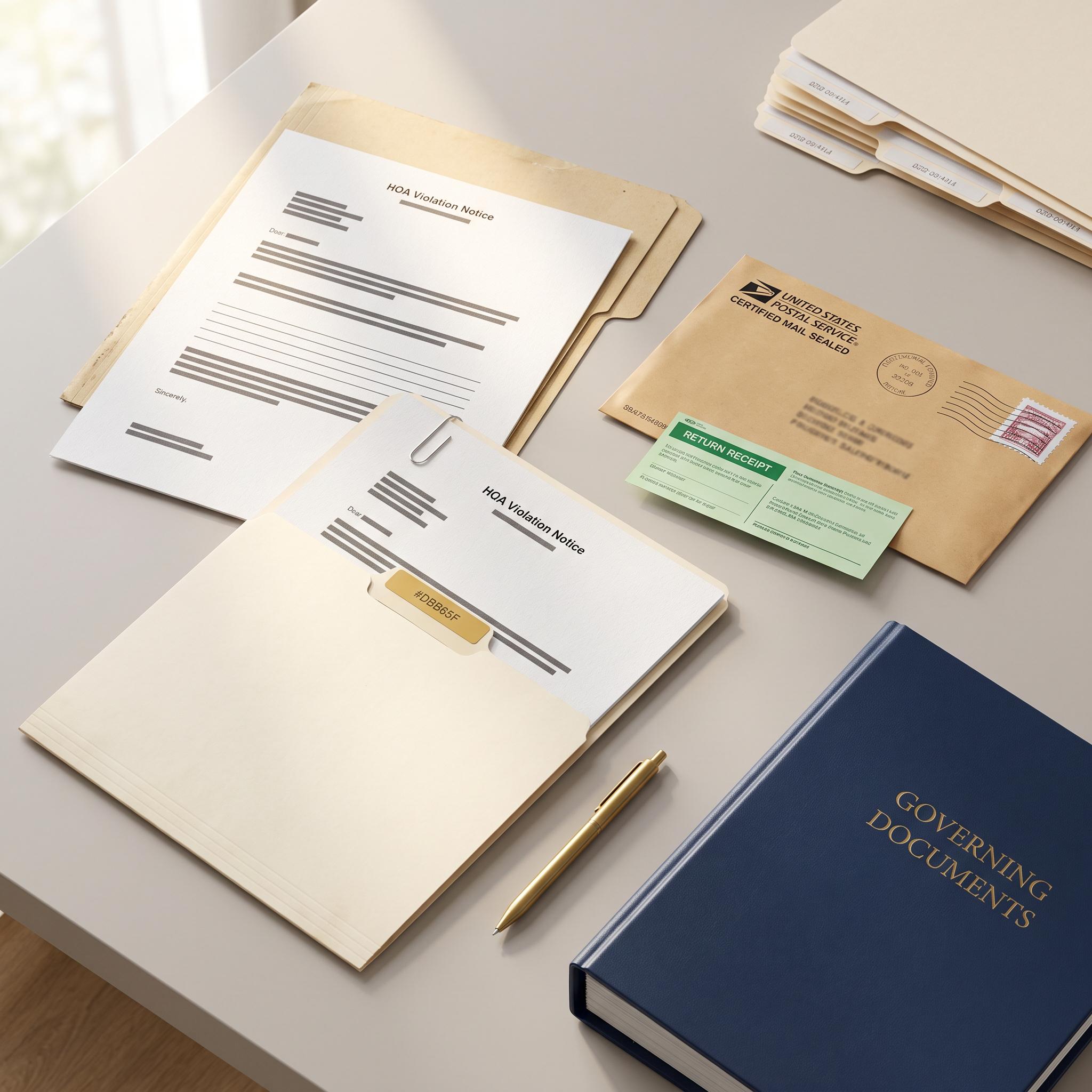
- The violations module logs rule violations, sends notices, and keeps a history of every step.
HOA software works alongside accounting software, but the two do different jobs. Accounting software keeps the general ledger, produces financial statements, and handles bank reconciliation, while HOA software runs the operations side. An association can use both and connect them. ManageHOA by BuildingLink is HOA management software for single-family home and townhome communities, and it integrates with many of the accounting systems associations already use.
Who Uses HOA Software?
There were 373,000 community associations in the U.S. in 2025, home to 78.1 million residents, according to the Foundation for Community Association Research's 2025 Statistical Review. HOAs make up about 58% to 63% of those associations. The same report counts 2,555,000 elected board members and appointed committee members, and it estimates that 30% to 40% of associations are self-managed, meaning they don't employ a professional manager or management company.
Whether an HOA is self-managed shapes how it uses its software. In a self-managed HOA, board members and volunteers do the manager's work themselves, in their spare time, so ease of use is a requirement. In a managed HOA, the manager handles the processing while the board approves and oversees. The same software serves both setups, and 5 groups of people use it.
Board members
The board sets policy, approves decisions, and oversees the work. In HOA software, board members check the status of open requests, review the full history of a violation before following up, collaborate with community association managers and committee members to review and vote on architectural review requests, and send community-wide notices.
Architectural review committee members
Committee members review owner applications for exterior changes and vote on them. Good HOA software lets them see each application, its attachments, and other members' votes on one screen instead of emailing PDFs back and forth.
Community association managers
When an HOA hires a management company, a community association manager usually handles the daily processing: logging violations, routing service requests to vendors, posting documents, and answering residents.
Residents
Residents use the resident portal or app to submit service requests and applications for architectural review, read governing documents, reserve amenities, view notices about their home, and get community news. The portal or app is the only part of the HOA software residents see, so its ease of use affects how many of them sign up.
Vendors
Landscapers, pool contractors, and repair companies don't need to log in. In ManageHOA, the HOA can email a vendor work order to a contractor, and the system saves it to the original request.
The Core Modules of HOA Software
Each module replaces a specific set of email threads, paper forms, or spreadsheets.
Communication
Communication covers email broadcasts, text message alerts, announcements, a community event calendar, and sometimes a resident bulletin board. Getting each message to the right audience is a key feature: a notice about a road closure on one street shouldn't land in every inbox in the community, but a notice about annual dues should reach every owner.
In ManageHOA by BuildingLink, a board or manager can email every resident or target a filtered group they define, schedule a send for later, and reuse saved templates. Announcements post to the resident app and resident site and can go out by email in the same step. Text message broadcasts, an event calendar, and a bulletin board where management can approve resident posts before they appear are all included.
Service requests
Service requests cover problems in the common areas the HOA maintains, such as a broken entry gate, a streetlight that's out, a damaged pool fence, or an irrigation leak. Every request gets a status, an assignee, and a history, so the board can see what's open, what's closed, and how long things take.
In ManageHOA, residents submit service requests from the resident portal, add comments and photos, and track which of their requests are still open and which are closed. Each request arrives as a work order for the manager or board to assign and track. The vendor directory keeps contractor contacts in one place, and vendor work orders can be emailed to outside contractors. Recurring tasks schedule routine work, such as landscaping, so it doesn't depend on someone remembering. Our vendor coordination guide for board-led HOAs goes deeper on the vendor side.
Documents
An HOA's documents include its declaration of covenants, conditions, and restrictions (CC&Rs), bylaws, rules, meeting minutes, budgets, insurance certificates, and resident forms. Those records belong to the association, and they have to outlast every board that handles them.
State law can require online access to these documents. In Florida, section 720.303 requires associations with 100 or more parcels to post specific official records on a website or a mobile app, with a deadline of January 1, 2025. Check your own state's law and your governing documents before you decide what to post and who can see it.
In ManageHOA by BuildingLink, the document library stores files by category and lets the board or manager choose who can view each document. It can email residents a link when a new document posts, and old documents can be set to expire. Each home's record also holds the documents tied to that home. Our guide on HOA document management and records retention covers what happens to records when a management company changes.
Amenity reservations
If your community has a clubhouse, pool pavilion, tennis courts, or an event lawn, reservations are where conflicts start. HOA software replaces the paper sign-up sheet with online booking and lets the board set the rules for each space, such as hours, capacity, and how far ahead residents can book.
In ManageHOA, amenity reservations are available as an add-on. Residents submit reservation requests online, and the board or manager sets the rules for each amenity.
Payments
Payments let residents pay dues, assessments, and fees online instead of mailing checks. There are 2 common approaches. Some platforms process payments and keep the books themselves. Others connect to a payment provider and to the association's accounting software, which keeps the ledger where the accountant already works.
ManageHOA by BuildingLink takes the second approach. Residents can pay dues online through BuildingLink Payments, if the association enables it. Payments sync with the association's accounting software through BuildingLink's accounting integrations, and managers can see each resident's balance from that home's record. Budgets, ledgers, and financial statements stay in the accounting software.
Architectural review
Architectural review is the process owners follow to get approval before they change the outside of their home, whether that's a new fence, a paint color, an addition, or major landscaping. An architectural review committee (ARC) checks each application against the community's guidelines and votes on it. Applications stall when they arrive incomplete, when votes are scattered across email, or when a deadline slips. Some governing documents treat a missed response deadline as an approval, so make sure you understand how your association handles this scenario.
In ManageHOA, the board or manager can build custom application forms for each project type, with fields for descriptions, dates, and file uploads. Owners apply from the resident portal, where they can also read any documents the board has attached, such as design guidelines.
Committee members then review applications and vote from the resident portal. The board or manager can set a voting deadline and choose whether an application is approved, denied, or left as is when the deadline passes. Status updates can happen automatically once every vote is in, and owners can get a notification when their status changes. An activity log records every note and status change, and the progress of approved work can be tracked on the application.
Our HOA guide to stress-free architectural reviews includes a checklist for the process, and our free guide The 5 Most Common Bottlenecks in the Architectural Review Process covers where applications get stuck.
Violations
Violations are where an HOA most needs a clean record. Owners who receive a notice want to know which rule they broke, when it was observed, and what happens next. Boards need to show they applied the same rule the same way to every owner. HOA software keeps the notices, photos, deadlines, hearings, and fines for each violation in one history.
In ManageHOA by BuildingLink, the board or manager can create custom violation types and notice templates, set a violation date and a deadline, and attach photos. They can also record a hearing date and its outcome and assess a fine. Each notice can be generated as a PDF and emailed to the owner, and follow-up notices go out from the same record.
The activity log records every notice, status change, and note. ManageHOA can also let residents view and download the violation notices for their home in the resident portal, where each violation is visible only to that home's residents and management. Learn more about HOA violation tracking software, or start with these HOA violation letter templates.
How HOA Software Supports Both Boards and Managers
Boards make decisions, and managers carry them out. HOA software works best when it reflects that split, so the board isn't doing data entry and the manager isn't making policy calls. In a managed HOA, the work usually divides like this:
| Workflow | The board's role | The manager's role | What the software keeps |
|---|---|---|---|
| Architectural review | The committee reviews each application and votes. | The manager checks that applications are complete and moves them to review. | The software keeps the application, every vote, and the final decision. |
| Violations | The board sets the rules and holds hearings. | The manager logs violations and sends notices. | The software keeps each notice, photo, deadline, and outcome. |
| Service requests | The board approves larger repairs and spending. | The manager routes requests to vendors and closes them out. | The software keeps the request, the work order, and the status history. |
| Communication | The board approves community-wide messages. | The manager writes and sends notices. | The software keeps a record of what went out and to whom. |
| Documents | The board adopts rules and approves minutes. | The manager posts documents and controls access. | The software keeps the current version of each document in one library. |
In a self-managed HOA, the board fills both roles. Our buyer's guide for self-managed HOAs covers how to choose a system with that in mind.
The last column is what carries over from one board to the next. Board members serve terms, and when a term ends, the software's record stays with the association. A new board member can read 3 years of violation history on a property in one sitting instead of asking the last board president to search an inbox. Read more about HOA board member duties.
HOA Software Terms Every Board Member Should Know
Demos and vendor pages use a lot of shorthand. These are the terms you'll see most often.
Accounting integration: An accounting integration is a connection that moves data between HOA software and the association's accounting software, so staff don't enter the same information twice.
Activity log: An activity log is the time-stamped history of every action on a record, such as notices sent, status changes, and notes.
Architectural review committee (ARC): The ARC is the group of residents, appointed by the board, that reviews owner applications for exterior changes. Some communities call it the design review committee.
Assessment: An assessment is the amount each owner pays the association, usually on a set schedule. Many people call regular assessments "dues."
CC&Rs: CC&Rs stands for declaration of covenants, conditions, and restrictions. It's the recorded document that sets the community's rules and gives the association its authority to enforce them.
Community association manager: A community association manager is a professional who runs an association's daily operations, usually as an employee of a management company.
Document library: The document library is the module that stores association files and controls which residents can see each one.
Governing documents: Governing documents are the CC&Rs, bylaws, articles of incorporation, and rules that together define how the association operates.
Hearing: A hearing is a meeting where an owner can respond to a violation before the board makes a decision, such as whether to assess a fine. Your governing documents and state law determine when a hearing is required.
Management company: A management company is a firm an association hires to handle its daily operations, its finances, or both.
Notice template: A notice template is a saved letter format that automatically fills in details like the owner's name, address, and violation type.
Reserve fund: The reserve fund is money the association sets aside for major repairs and replacements, such as roofs, roads, and pools.
Resident app: The resident app is the mobile app residents use to reach the community's portal features from their phones.
Resident portal: The resident portal is the logged-in website where residents submit requests, read documents, and see community news.
Self-managed HOA: A self-managed HOA is one that doesn't employ a professional manager or management company. The board and volunteers do the work.
Service request: A service request is a resident's report of a problem the association needs to fix. Some systems call it a repair request or a maintenance request.
Special assessment: A special assessment is a one-time charge to owners, usually to cover an expense that the budget or reserve fund doesn't.
Unit: In HOA software, a unit is the record for one home. ManageHOA by BuildingLink calls each home a unit, even in a community of single-family homes.
Work order: A work order is the task created from a service request and assigned to staff or a vendor to complete.
Where to Start With HOA Software
Start with violations and architectural review. They're the 2 workflows where the board most needs a clear record of who decided what and when, and they're the first to outgrow email and spreadsheets. Communication usually comes next, because it decides how many residents sign up for the portal.
Frequently Asked Questions
What does HOA software do?
HOA software gives a homeowners association one system for its daily operations. It handles resident communication, service requests, documents, amenity reservations, payments, architectural review, and violations, and it gives residents a portal and app where they can submit requests and read community information.
What's the difference between HOA software and HOA accounting software?
HOA accounting software keeps the association's general ledger, budgets, and financial statements. HOA software runs operations such as violations, architectural review, service requests, and communication. An association can use both and connect them through an accounting integration. ManageHOA integrates with many accounting systems rather than replacing them.
Do self-managed HOAs need HOA software?
Self-managed HOAs benefit from HOA software because board members and volunteers handle the daily work without a professional manager. Keeping records in one place cuts the time they spend searching email and makes board turnover less disruptive.
How much does HOA software cost?
Pricing depends on the vendor, the number of homes in the community, and which modules you turn on.
Is there an HOA app for residents?
Yes. ManageHOA by BuildingLink includes both a resident app and a resident portal.
What's the difference between an HOA website and HOA software?
An HOA website is usually a public page with community information and contacts. HOA software includes a logged-in resident portal where residents submit requests and read private documents, along with the tools the board and manager use to run community operations.
What is the best HOA software?
The best HOA software is the one that fits the work your board does and that your residents will use. Self-managed boards should weigh ease of use and resident sign-up heavily. Professionally managed communities should check how well the software supports the manager's daily workflow and how it connects to the association's accounting software.